


Description
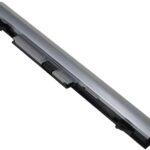
HP 8470p Battery: Power and Performance Unleashed
The HP 8470p battery is a critical component for the HP EliteBook 8470p, ensuring that users can take advantage of its robust features and performance capabilities without being tethered to a power outlet. This guide delves into the specifics of the HP 8470p battery, covering its design, performance, maintenance, and tips for prolonging its life.
Overview of the HP 8470p Battery
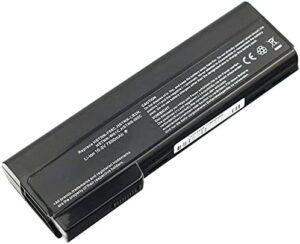
The HP EliteBook 8470p is renowned for its durability and reliability, aimed at professionals who require a high-performance laptop. The battery that powers this laptop plays a significant role in delivering these qualities. Typically, the HP 8470p comes with a lithium-ion (Li-ion) battery, known for its efficient energy storage and long lifespan. The standard battery options are usually 6-cell or 9-cell configurations, offering varying capacities to suit different needs.
Key Features of the HP 8470p Battery
Performance and Capacity
The battery capacity for the HP 8470p is measured in milliampere-hours (mAh), with higher mAh indicating longer battery life. Standard 6-cell batteries usually offer around 55 watt-hours (Wh), while 9-cell batteries can provide up to 100 Wh. This translates to several hours of usage, depending on the laptop’s workload and power settings.
Smart Technology
HP integrates smart technology into their batteries, enabling features such as battery health monitoring and power management. These technologies help optimize battery usage and prolong its overall lifespan by preventing overcharging and deep discharging.
Installing and Replacing the HP 8470p Battery
Installing or replacing the HP 8470p battery is a straightforward process, designed to be user-friendly. To replace the battery, simply:
- Power down the laptop and unplug it from any power sources.
- Slide the battery release latch to unlock the battery.
- Remove the old battery and insert the new one, ensuring it clicks securely into place.
- Slide the latch back to lock the battery in place.
Always ensure that you use a genuine HP battery to maintain optimal performance and safety.
Maintaining Your HP 8470p Battery
Proper maintenance is key to extending the lifespan of your HP 8470p battery. Here are some essential tips:
Regular Usage
Batteries perform best when they are used regularly. If you primarily use your laptop plugged in, make sure to periodically run it on battery power to maintain its health.
Charging Practices
Avoid letting the battery drain completely before recharging. Instead, aim to recharge the battery when it drops to around 20-30%. Overcharging can also reduce battery life, so unplug the laptop once it reaches full charge.
Temperature Management
Batteries are sensitive to extreme temperatures. Avoid exposing your laptop to very high or low temperatures, as this can significantly impact battery performance and lifespan. Ideally, keep your laptop in a cool, dry environment.
Power Settings
Utilize the power management settings on your HP 8470p to optimize battery life. Adjust settings such as screen brightness, sleep mode, and CPU performance to balance power consumption with performance needs.
Troubleshooting Common Battery Issues
Even with proper maintenance, you might encounter issues with your HP 8470p battery. Common problems include the battery not charging, rapid discharge, or the laptop not recognizing the battery. Here are some troubleshooting steps:
Battery Not Charging
Ensure the power adapter is working correctly and connected securely. Try a different power outlet or adapter if available. If the problem persists, the battery may need calibration or replacement.
Rapid Discharge
Check for power-hungry applications running in the background. Close unnecessary programs and reduce screen brightness to conserve battery power. Updating the laptop’s BIOS and drivers can also resolve some battery issues.
Battery Not Recognized
Restart the laptop and check the battery connection. If the issue continues, reinstall the battery drivers or perform a battery reset via the BIOS settings.
Conclusion
The HP 8470p battery is a vital component that ensures the EliteBook 8470p delivers reliable performance for professional users. By understanding its features, proper maintenance practices, and troubleshooting common issues, users can maximize their battery’s lifespan and efficiency. Whether working remotely or traveling, a well-maintained battery keeps your HP 8470p running smoothly, allowing you to stay productive wherever you go.


Reviews
There are no reviews yet.