

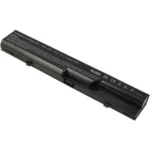
Description
HP 420 Battery: The Ultimate Guide to Performance and Longevity
If you own an HP 420 laptop, you understand the importance of a reliable battery. This guide delves into everything you need to know about the HP 420 battery, from its specifications and performance to tips on maximizing its lifespan.

Key Specifications of the HP 420 Battery
The HP 420 battery is designed to meet the power needs of the HP 420 laptop series. Here are its primary specifications:
- Type: Lithium-Ion (Li-Ion)
- Capacity: 4400mAh to 5200mAh, depending on the specific model
- Voltage: 10.8V to 11.1V
- Cells: 6-cell battery pack
These specifications ensure that the battery provides a balance between performance and portability, making it ideal for both personal and professional use.
Performance and Efficiency
The performance of the HP 420 battery is noteworthy for several reasons. Firstly, the Li-Ion technology offers a higher energy density compared to older battery types, ensuring longer usage times between charges. Typically, you can expect the battery to last between 3 to 5 hours under moderate usage conditions, which include activities like browsing the web, working on documents, or streaming videos.
The efficiency of the HP 420 battery is also enhanced by its smart battery management system, which helps prevent overcharging and extends the overall battery life. This system continuously monitors the battery’s health and optimizes charging cycles accordingly.
Tips to Extend the Life of Your HP 420 Battery
Maximizing the lifespan of your HP 420 battery involves a combination of good usage habits and proper maintenance. Here are some tips to help you get the most out of your battery:
1. Avoid Extreme Temperatures
Exposure to extreme temperatures, whether hot or cold, can significantly reduce the battery’s lifespan. Ideally, you should use and store your laptop in a cool, dry place to maintain optimal battery performance.
2. Regularly Calibrate Your Battery
Battery calibration involves fully charging and then fully discharging the battery once a month. This process helps recalibrate the battery’s power management system, ensuring more accurate readings and optimal performance.
3. Adjust Power Settings
Utilizing your laptop’s power-saving features can greatly extend battery life. Adjust settings such as screen brightness, sleep mode, and disabling unnecessary background applications. HP laptops come with built-in power management tools that can be customized to suit your usage needs.
4. Avoid Complete Discharges
While it’s essential to calibrate your battery occasionally, regularly allowing it to discharge completely can be detrimental. Aim to recharge your battery when it drops to around 20-30% to prolong its lifespan.
5. Use Genuine HP Chargers
Using the official HP charger designed for the HP 420 ensures that the battery receives the correct voltage and current. Third-party chargers may not meet the necessary specifications, potentially harming the battery over time.
When to Replace Your HP 420 Battery
Despite following best practices, all batteries eventually wear out. Signs that your HP 420 battery may need replacing include:
- Reduced Battery Life: If you notice a significant drop in battery life even after full charges, it might be time for a replacement.
- Overheating: Excessive heat during charging or usage can indicate a failing battery.
- Physical Damage: Any visible damage or swelling of the battery pack necessitates immediate replacement for safety reasons.
Purchasing a Replacement HP 420 Battery
When purchasing a replacement battery, it’s crucial to choose a reputable source. Genuine HP batteries are specifically designed to meet the standards and performance metrics of your HP 420 laptop. Ensure that the replacement battery matches the original specifications (voltage, capacity, and cell count) to avoid compatibility issues.
Where to Buy
- Official HP Store: The safest option for purchasing a genuine replacement.
- Authorized Retailers: Many electronics stores and online retailers are authorized to sell HP products.
- Certified Online Platforms: Websites like Amazon or eBay often have certified sellers offering genuine HP batteries.
Conclusion
The HP 420 battery is a vital component of your laptop, ensuring you have the mobility and power you need. By understanding its specifications, optimizing its performance, and following best maintenance practices, you can significantly extend its lifespan. Remember to monitor your battery’s health and know when it’s time to invest in a replacement. With the right care, your HP 420 battery can provide reliable service for years to come.


Reviews
There are no reviews yet.