


Description
HP 4520s Battery: The Ultimate Power Solution for Your Laptop
Introduction to HP 4520s Battery
The HP 4520s is a popular laptop model known for its reliability and performance, especially among professionals and students. However, like all laptops, its effectiveness heavily depends on a robust and long-lasting battery. The HP 4520s battery is designed to provide optimal power, ensuring your laptop remains functional and efficient throughout the day. This guide explores the features, benefits, and tips for maintaining your HP 4520s battery to enhance your laptop experience.
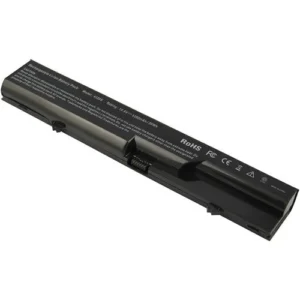
Key Features of the HP 4520s Battery
High Capacity and Longevity
The HP 4520s battery is renowned for its high capacity, which ensures extended usage without frequent recharging. Typically, this battery boasts a capacity of around 4400mAh to 5200mAh, providing several hours of uninterrupted work, browsing, or entertainment. Its design prioritizes longevity, allowing users to enjoy sustained performance over an extended period.
Compatibility and Performance
This battery is specifically designed to be compatible with the HP 4520s series, ensuring a perfect fit and optimal performance. It seamlessly integrates with the laptop’s power management system, providing consistent and reliable power. The compatibility ensures that the battery communicates effectively with the laptop, allowing for accurate power level readings and efficient charging cycles.
Enhanced Safety Features
Safety is a critical consideration in battery design. The HP 4520s battery incorporates advanced safety features, including overcharge protection, short-circuit protection, and thermal safeguards. These features prevent potential hazards and ensure the battery operates within safe temperature and voltage limits, safeguarding both the user and the laptop.
Benefits of Using an Original HP 4520s Battery
Reliable Power Supply
An original HP 4520s battery guarantees a reliable power supply, minimizing unexpected shutdowns and ensuring that your laptop remains operational when you need it most. This reliability is crucial for professionals who depend on their laptops for critical tasks and cannot afford interruptions.
Optimal Performance
Using an original battery ensures that your HP 4520s laptop performs at its best. Third-party batteries often lack the precise engineering and quality control that original batteries undergo, leading to potential performance issues. An original battery maintains the laptop’s designed performance levels, providing a seamless and efficient user experience.
Warranty and Support
Purchasing an original HP 4520s battery typically includes a warranty, offering peace of mind and protection against defects. Additionally, HP’s customer support is available to assist with any issues, ensuring you have professional assistance if needed. This support can be invaluable in troubleshooting and resolving any battery-related problems.
Tips for Maintaining Your HP 4520s Battery
Proper Charging Practices
To extend the life of your HP 4520s battery, it is essential to follow proper charging practices. Avoid letting the battery drain completely before recharging, as this can reduce its lifespan. Instead, try to recharge the battery when it reaches around 20-30% capacity. Additionally, avoid overcharging by unplugging the laptop once it reaches 100% charge.
Avoid Extreme Temperatures
Exposure to extreme temperatures can significantly impact battery performance and longevity. Avoid using or storing your laptop in very hot or cold environments. Ideally, keep the laptop in a room-temperature environment to ensure optimal battery health.
Regularly Calibrate the Battery
Battery calibration helps maintain accurate power level readings and can improve battery performance. To calibrate, fully charge the battery, then let it drain completely before recharging it to 100% again. Performing this process every few months can help keep your battery in top condition.
Use Power-Saving Modes
Utilizing power-saving modes can help extend the battery life during use. Most operating systems offer settings such as “Battery Saver” or “Power Saver” modes that reduce power consumption by adjusting system performance and screen brightness. Enabling these modes when operating on battery power can significantly extend usage time.


Reviews
There are no reviews yet.