
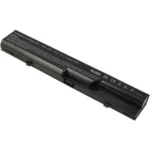


Description
HP 2560p Battery: Reliable Power for Your EliteBook
When it comes to ensuring your HP EliteBook 2560p runs smoothly and efficiently, having a reliable battery is crucial. The HP 2560p battery is designed to provide you with the power you need, whether you’re working on important projects, traveling, or simply using your laptop for everyday tasks. This comprehensive guide will cover everything you need to know about the HP 2560p battery, including its features, benefits, and tips for optimal use.

Key Features of the HP 2560p Battery
The HP 2560p battery boasts several features that make it an excellent choice for your EliteBook. These include:
- High Capacity: The battery typically offers a capacity of around 62Wh, ensuring long-lasting power for your laptop.
- Lithium-Ion Technology: Utilizing advanced lithium-ion technology, the HP 2560p battery delivers efficient and reliable power, reducing the risk of sudden shutdowns.
- Compatibility: Specifically designed for the HP EliteBook 2560p, this battery ensures a perfect fit and seamless integration with your device.
- Safety Features: Built-in safety mechanisms protect against overcharging, overheating, and short-circuiting, ensuring both your battery and laptop remain safe during use.
Benefits of Using an Original HP 2560p Battery
Using an original HP 2560p battery comes with several advantages:
- Optimal Performance: Original batteries are manufactured to meet HP’s strict quality standards, ensuring optimal performance and longevity.
- Warranty Protection: Purchasing an original battery from HP or an authorized dealer often includes a warranty, providing peace of mind in case of any defects or issues.
- Battery Life: Original batteries are designed to offer longer battery life, reducing the need for frequent recharges and enhancing your laptop’s portability.
Tips for Maximizing HP 2560p Battery Life
To get the most out of your HP 2560p battery, consider these tips:
- Proper Charging: Avoid letting your battery completely discharge frequently. Instead, try to recharge it when it reaches around 20-30% capacity.
- Adjust Power Settings: Optimize your laptop’s power settings to conserve battery life. Lowering screen brightness and disabling unnecessary background applications can significantly extend battery life.
- Regular Calibration: Periodically calibrate your battery by fully charging and then fully discharging it. This helps maintain accurate battery life readings and improves overall performance.
- Cool Environment: Keep your laptop in a cool, dry place to prevent overheating, which can degrade battery life over time.
How to Replace Your HP 2560p Battery
Replacing your HP 2560p battery is a straightforward process. Follow these steps for a smooth replacement:
- Turn Off Your Laptop: Ensure your laptop is completely turned off and unplugged from any power source.
- Remove the Old Battery: Locate the battery release latch on the bottom of the laptop. Slide the latch and carefully remove the old battery.
- Insert the New Battery: Align the new battery with the battery slot and gently push it into place until it clicks securely.
- Power On Your Laptop: Once the new battery is installed, turn on your laptop and check to ensure the battery is recognized and functioning correctly.
Choosing the Right HP 2560p Battery
When selecting a replacement battery for your HP EliteBook 2560p, consider the following factors:
- Authenticity: Always choose original HP batteries or those from reputable third-party manufacturers to ensure quality and compatibility.
- Reviews and Ratings: Check customer reviews and ratings to gauge the reliability and performance of the battery.
- Warranty: Opt for batteries that come with a warranty to safeguard against any potential defects or issues.
Common Questions About HP 2560p Batteries
1. How long does the HP 2560p battery last on a single charge? The battery life can vary depending on usage, but a new HP 2560p battery typically lasts between 4 to 6 hours on a single charge under normal usage conditions.
2. Can I use a higher capacity battery with my HP EliteBook 2560p? Yes, you can use a higher capacity battery, provided it is compatible with your laptop model. Higher capacity batteries can offer longer usage times between charges.
3. How do I know if my HP 2560p battery needs replacement? Signs that your battery may need replacement include significantly reduced battery life, the laptop not charging, or the battery being swollen or damaged.


Reviews
There are no reviews yet.